🌻 What are the narratives behind a specific link ?

22 Oct 2025
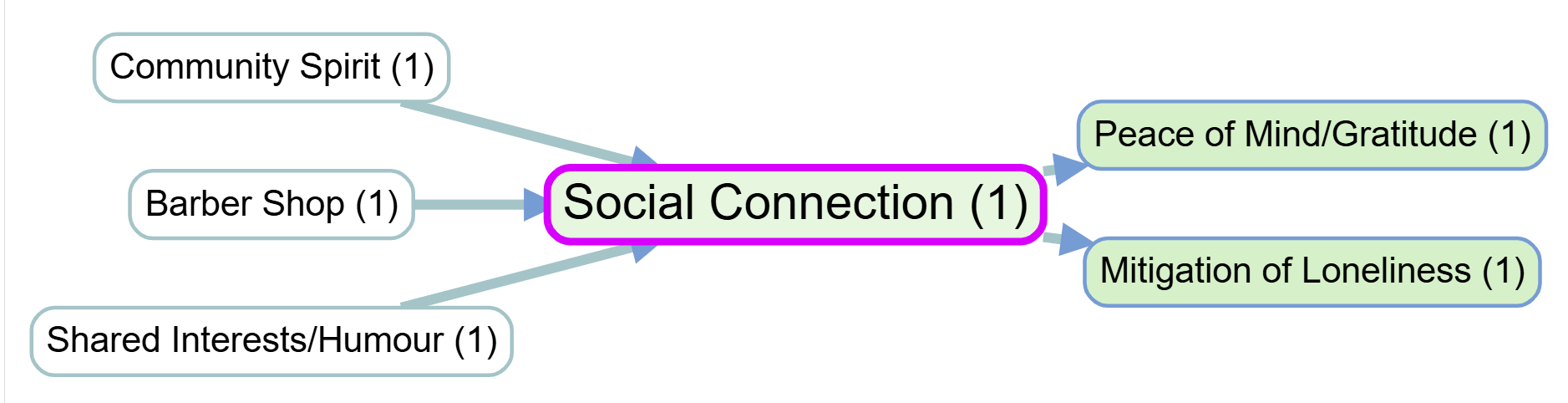
c47220e563751ad70a36b690dea7a957_MD5

It is important to frequently return to the original quotes associated with each factor or link to understand how different stakeholders interpret and talk about key concepts. This can be done in Causal Map by clicking on a link in the interactive map, or by printing out quotes for a particular filter (e.g. just for a single bundle of links) with additional context and metadata.
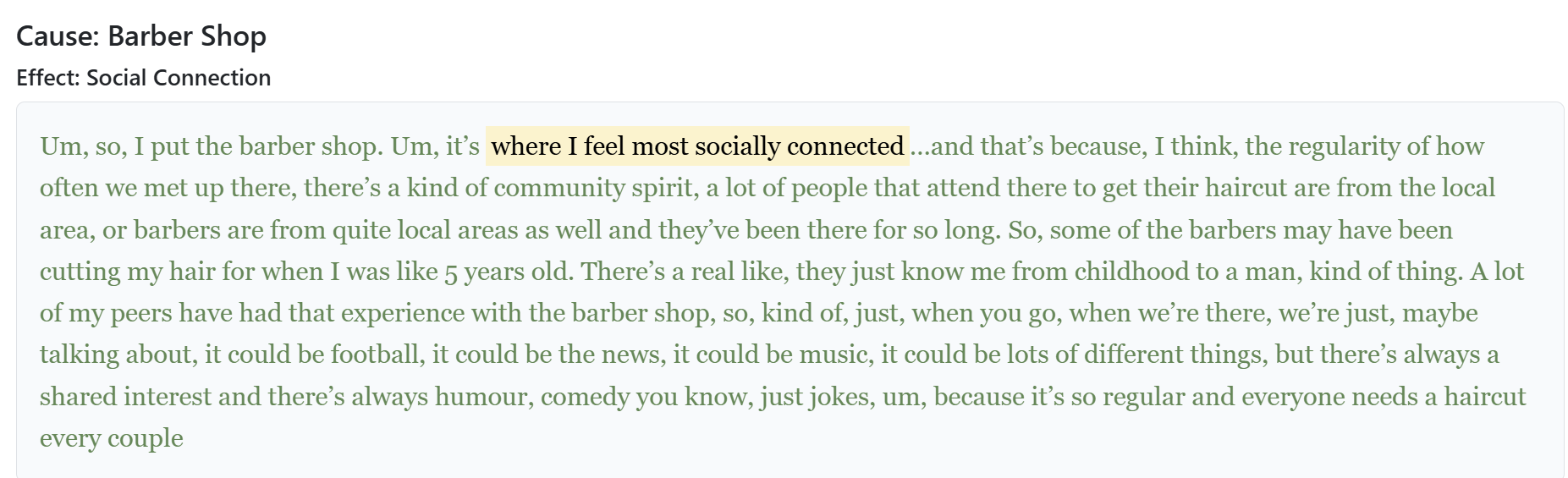
a5aab88e395417822ebc378d23a90290_MD5

Relevant page from Causal Map help:
Print View

Print View

The purpose Print View is to make it easy to explore and read actual quotes from the currently filtered links. What it does is show, instead of the contents of the Tabulator table, a printed version of the same information, leaving the table headers and filters in place. The toggle switches between table contents view and print view.

This view prints out the quotes from each row in the table, grouped by the Group By columns formatted as nested headings, and we suppress repeated headings until they change.

We also reveal two more toggles:

  • Show Details: Print the values of all the extra columns such as tags and any Custom Columns
  • Context: for each quote we add an additional three sentences at each side, highlighting the actual quotes.
  • PDF: prints the full list (not just the current on-screen page) in a new tab. Use PrintSave as PDF. The export uses slightly smaller body type. Each group from Group by is a separate table so the group title repeats at the top of each printed sheet when one group spans many pages. The new tab’s title (and the usual default Save as PDF name in Chrome / Edge) is CausalMap-Links-<project>-<YYYY-MM-DD-HHmm>. In Chrome 131+ and current Edge, the bottom page margin lists the current project name, date/time, Causal Map | causalmap.app, and page i / n. If the system print dialog also adds its own header/footer, turn that off there to avoid duplicates.

You can manually sort the texts using to the sorting widgets in the tabulator headers, as far as allowed by the nested headers.